To start-up Swing (Not JavaFX) GUI Desktop Application in NetBeans, we have to create a Java Application with GUI container. In this example, we will create a dummy GUI Application with JFrame.
New a project, without main class:
- Select Category of Java, and Project Java Application.

- Change the Project Name to HelloGUI, make sure the box Create Main Class UN-checked.
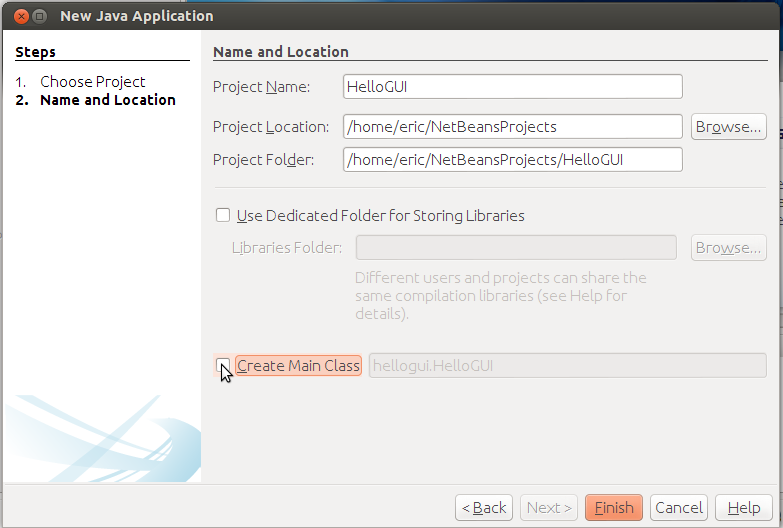
- A start-up project will be generated.

Next, Add GUI container of JFrame:
- Right click on your project, and select New JFrame.

- Enter your Class Name of MyFrame and Package my.hellogui.

- A JFrame will be added.

Assign main class:
- Try to run your project, Run -> Run Project (F6).
- You will be complained your project does not have a main class set. Now you can select your main class (my.hellogui.MyJFrame) from the selection box.

